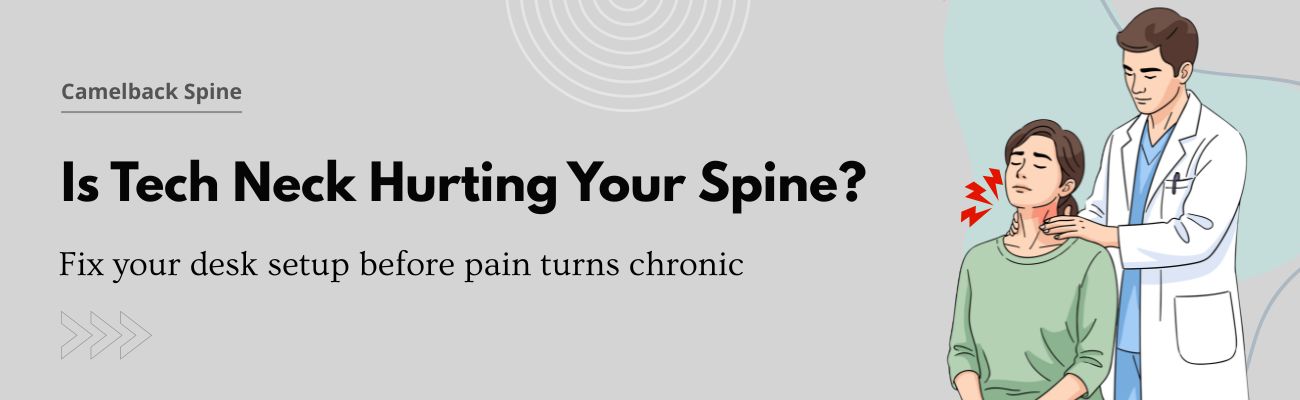
Tech neck has quietly become one of the most common side effects of how Americans work today. Since the pandemic, millions of people have traded office desks for kitchen tables, couches, and laptops balanced on pillows. Add hours of smartphone scrolling on top of that, and your cervical spine is carrying a load it was never designed to handle. If your neck feels stiff by midafternoon, you are not imagining it. This guide explains what tech neck is, how your work from home setup and phone habits contribute, which ergonomic chair adjustments help, and which early warning signs mean it is time to get checked.
What Is Tech Neck and Why Is It Rising in the Remote Work Era?
Tech neck describes the strain that builds in your neck and upper back when you spend long stretches looking down at screens. The medical term most closely linked to it is forward head posture, where your head drifts ahead of your shoulders instead of stacking neatly above them.
Your head weighs roughly 10 to 12 pounds in a neutral position. Research on spinal loading is often cited to show that tilting your head forward increases the effective force on your neck, with a deep tilt acting like a much heavier weight. Your muscles, ligaments, and discs absorb that extra stress all day long.
Remote work made this worse for a simple reason. Many home offices were improvised during the pandemic and never upgraded. A laptop on a dining table forces you to look down. A couch encourages slouching. Without an office manager adjusting your desk, small posture problems repeat thousands of times a week and slowly become pain.
How Your Work From Home Setup Strains the Cervical Spine
A poor work from home setup usually fails in the same few ways.
- Your screen is too low: Laptops put the display at chest height. To read it, you drop your chin and round your upper back, which loads the lower cervical spine.
- Your keyboard and screen are attached: On a laptop, you cannot raise the screen to eye level without lifting the keyboard to an awkward height for your arms. That tradeoff creates either neck strain or shoulder strain.
- Your chair does not fit you: A seat that is too deep, a backrest with no lumbar support, or armrests set too high all push your posture out of alignment. Your neck then compensates for what your lower back is doing.
- You stay still too long: Even a decent setup becomes harmful if you hold one position for three hours. Discs and joints in the neck depend on movement for healthy circulation.
The good news is that most of these problems can be corrected without expensive equipment.
Smartphone Neck Pain: The Hidden Habit Making Tech Neck Worse
Many people fix their desk and then undo the progress on their phone. Checking messages during breaks, reading news on the couch, and scrolling at night all put your head in the same forward, downward position you were trying to avoid at work.
Smartphone neck pain often shows up as a deep ache at the base of the skull or between the shoulder blades. It tends to feel worse at the end of the day. Because phone use feels like rest, people rarely connect it to their symptoms.
Try raising the phone closer to eye level instead of lowering your head to meet it. Rest your elbow against your side or on a pillow, and take breaks from long reading sessions. Voice notes and speech to text can also cut down on the time your neck spends bent over a screen.
Ergonomic Chair Adjustments That Protect Your Neck and Spine
Good remote work ergonomics start with your chair, because your neck follows your pelvis and back. Use these ergonomic chair adjustments as a daily checklist:
- Seat height: Set it so your feet rest flat on the floor and your knees sit level with or slightly below your hips.
- Seat depth: Leave about two to three finger widths between the front edge of the seat and the back of your knees.
- Lumbar support: Position the curve of the backrest at the small of your back so your spine keeps its natural shape.
- Armrests: Lower them until your shoulders relax and your elbows bend near 90 degrees.
- Backrest angle: Recline slightly, around 100 to 110 degrees, to reduce pressure on your spinal discs.
- Screen height: Place the top of your monitor at or just below eye level, about an arm’s length away.
- Keyboard and mouse: Keep them close enough that your elbows stay near your sides.
If you work on a laptop, use a separate keyboard and mouse and lift the laptop on a stand or a stack of books. This single change fixes the most common cause of tech neck. No budget for a new chair? A rolled towel behind your lower back and a firm cushion under you can improve support right away.
Early Warning Signs of Cervical Spine Problems You Should Not Ignore
Tech neck rarely begins with severe pain. It starts quietly. Learning to spot early warning signs gives you time to act before the problem becomes chronic neck pain.
Watch for these signals:
- Neck stiffness that appears late in the workday or first thing in the morning
- A dull ache at the base of the skull or tension headaches that start in the neck
- Tightness or burning between your shoulder blades
- Trouble turning your head fully to one side
- Shoulders that creep up toward your ears without you noticing
- Pain that eases on weekends and returns on Monday
More serious cervical spine symptoms need prompt attention. Tingling, numbness, or weakness in your arms or hands can point to a pinched nerve in the neck, sometimes called cervical radiculopathy. Pain that shoots down an arm, trouble with grip strength, dropping objects, or balance changes should never be brushed off. Sudden severe pain, or any loss of bowel or bladder control with neck symptoms, calls for urgent medical care.
If your symptoms last longer than a couple of weeks despite better posture, it is time to get an evaluation rather than waiting for them to worsen.
Simple Daily Habits to Prevent Chronic Neck Pain
Prevention works best when it fits into a normal workday. A few habits make a real difference:
- Move every 30 minutes. Stand, walk, or stretch for one to two minutes. Set a timer if you forget.
- Use the 20 20 20 rule. Every 20 minutes, look at something 20 feet away for 20 seconds. It rests your eyes and resets your head position.
- Do gentle chin tucks. Draw your chin straight back as if making a double chin, hold for five seconds, and repeat ten times.
- Open your chest. Squeeze your shoulder blades together a few times to counter rounded shoulders.
- Strengthen your upper back. Rows and resistance band exercises support better desk posture over time.
- Take phone breaks upright. Walk or stand while you check messages instead of curling up on the sofa.
These habits will not solve every case, but they reduce the daily strain that leads to chronic problems.
When to See a Spine Specialist for Neck Pain
Mild stiffness often improves with posture changes and movement. Persistent or worsening symptoms deserve professional attention. A spine specialist can find out whether your pain comes from muscle strain, joint irritation, a herniated cervical disc, or nerve compression, then recommend the right level of care.
Camelback Spine Care is an Arizona spine and orthopedic practice that helps patients manage neck, back, and other spinal conditions, with locations serving the Phoenix, Peoria, and Goodyear areas. Their approach includes conservative, nonsurgical treatment first, with surgical options considered only when appropriate. If you are dealing with ongoing neck pain, arm numbness, or symptoms that keep returning, a visit can give you clear answers and a plan.
Tech neck is common, but it is not something you simply have to live with. Raise your screen, adjust your chair, break up long sitting sessions, and rethink how you use your phone. Pay attention when your body sends early signals, and get expert help if symptoms linger or involve numbness or weakness. Small changes made now can protect your cervical spine for years of remote work ahead.
FAQs:
1. What is tech neck?
Tech neck is neck and upper back strain caused by repeatedly looking down at phones, laptops, or tablets. It stems from forward head posture, which overloads the muscles, joints, and discs of the cervical spine. Common signs include stiffness, aching, and tension headaches.2. Can tech neck be reversed?
In many cases, yes. Early tech neck often improves with better ergonomics, regular movement breaks, chin tucks, and upper back strengthening. Long standing symptoms, or symptoms with numbness or weakness, should be evaluated by a spine specialist to rule out nerve or disc problems.3. How do you fix tech neck at your desk?
Raise your monitor so the top sits at eye level, keep it about an arm’s length away, and support your lower back with lumbar support. Keep your feet flat and elbows near 90 degrees. Use a separate keyboard with a laptop, and stand or stretch every 30 minutes.4. What are the first signs of cervical spine problems?
Early signs include neck stiffness, a dull ache at the base of the skull, tension headaches, shoulder tightness, and limited head rotation. Tingling, numbness, or weakness in the arms or hands may signal nerve involvement and should be checked promptly.5. How long does tech neck take to go away?
Mild tech neck may ease within a few weeks of posture changes, stretching, and regular breaks. Recovery varies by how long symptoms have been present. If pain lasts beyond two to three weeks or keeps returning, see a healthcare provider.Published on 23 Oct, 2026